Guide
How to fix laser sensor damage in photos: 6 options compared
A laser burn on a camera sensor is permanent, but the photos are fixable. The damaged pixels sit in the same place on every frame, so you can either remove them from each photo in software or replace the sensor. Which makes sense depends on how many dots you have and how many photos you shoot.
What laser damage looks like
A stage, club or festival laser that sweeps across the lens can burn photosites on the sensor in a fraction of a second. The beam doesn't have to point straight down the lens. Afterwards you see small pink, red, purple or white dots, often in a line or a loose cluster where the beam crossed. They appear in the same position on every photo and video, at every ISO, with every lens.
The damage doesn't spread and the camera is otherwise fine. Sony has published a warning about it, and the laser show industry group ILDA says camera sensors are generally more easily damaged than eyes (PetaPixel on Sony's warning, ILDA).
 Before
 After
The six options
1. Pixel mapping in the camera
Most cameras can remap bad pixels. Sony bodies run it automatically about once a month (changing the date forward forces it), Olympus and OM System have a Pixel Mapping menu item, recent Nikon Z bodies added one in firmware, and on Canon, owners report that leaving a manual sensor clean running for about a minute does the same job.
Cost: free. Time: two minutes.
Does it work? For ordinary hot or stuck pixels, usually. For laser damage, rarely: a burn tends to take out a group of neighbouring pixels, and mapping is built for isolated ones. Try it first anyway. If the dots are still there afterwards, mapping won't fix them.
2. Spot-heal each photo by hand
Every editor has a spot removal tool: Remove in Lightroom, Spot Healing in Photoshop, Retouch in Capture One. Click each dot and it's gone.
Cost: nothing extra if you already own the editor. Time: a few seconds per dot, per photo.
Does it work? Yes, and for an occasional photo it's all you need. The trouble is volume. Twelve dots across 400 photos is 4,800 clicks, and dots over a face, an edge or fine texture need more care than dots in a plain sky.
3. Sync the fix across photos, or save a preset
Heal the dots on one photo, then sync those spot removals to the rest of the shoot (in Lightroom: Sync Settings with Healing ticked) or save them as a preset.
Cost: nothing extra. Time: minutes per shoot, when it works.
Does it work? Only when every photo is framed the same way on the sensor. The synced spots sit at fixed positions in the image, so anything that moves the image relative to the sensor breaks the alignment: a crop, a rotation, portrait versus landscape, and lens profile corrections, which shift pixels differently for each lens and focal length. Photographers who tried this report that presets hold for a prime lens and fall apart on a zoom (Adobe Community thread). Synced spots also reuse one source position, which can drag the wrong texture in on a different scene.
4. Software made for fixed sensor damage
Unburn is a Mac and Windows app built for this one problem. You calibrate it once with 15 to 40 raw files from any shoot; it finds the pixels that are wrong in the same place across all of them and saves that as a map of your sensor. After that you drop in a folder of exported photos. It matches each export back to its raw file, so it knows where the damaged pixels landed after cropping, rotating and lens corrections, then heals them all in one click. Each dot gets its own repair based on the pixels around it, and you can adjust or redo any spot by hand.
Cost: $39.90 once, or $9.90 a month. The trial is free: it finds and heals everything with a watermark on the preview, and you pay when you want to export. Time: about a minute to calibrate, then seconds per shoot.
Does it work? For fixed dots and clusters, yes, including on cropped and resized exports, which is where syncing fails. It needs the raw files for calibration, so it suits cameras that shoot raw. It does not fix line damage (a thin streak or a dead column across the frame) or dust that moves between shots.
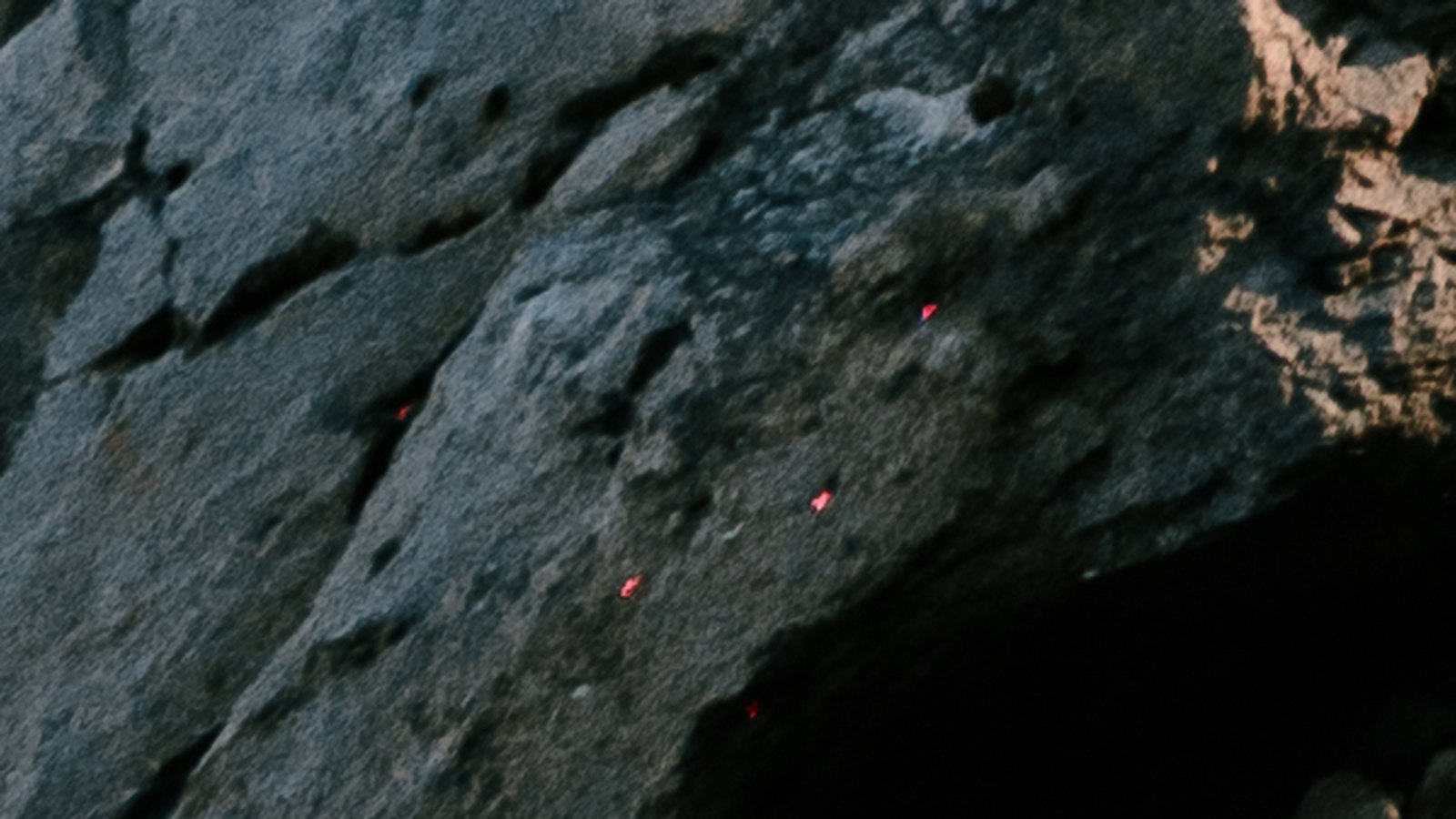 Before
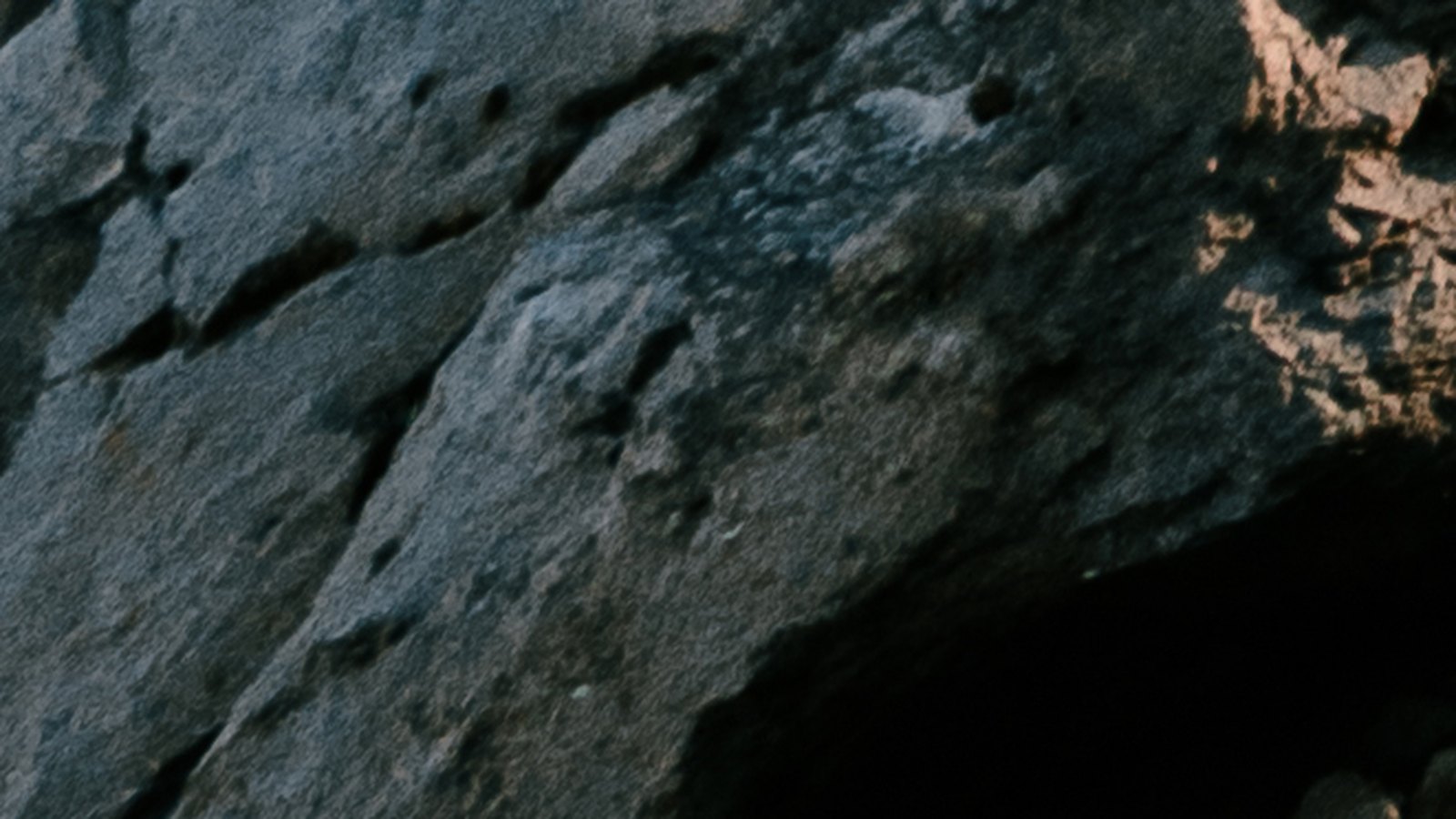 After
5. A bad-pixel list in your raw converter
Some raw converters can hide known bad pixels before the image is developed. RawTherapee accepts a bad-pixel file listing coordinates for a specific camera, and darktable has a hot pixels module that detects them automatically. Most converters, Lightroom included, already hide isolated hot pixels silently.
Cost: free. Time: an hour or two to find the coordinates and set it up, then nothing.
Does it work? It's a clean fix for isolated pixels because it happens at the raw level, before cropping or lens corrections. It gets weaker as the damage gets bigger: a laser cluster several pixels wide leaves too little good data nearby to interpolate from, and you may still see a smudge. It also ties you to that converter. If you edit in Lightroom or Capture One, it doesn't apply.
6. Replace the sensor
The only way to remove the damage itself. A manufacturer service centre or a good independent shop swaps the sensor assembly.
Cost: owners report quotes from about $500 to $1,500 and more for full-frame bodies, sometimes close to the price of a used body. Laser damage is normally treated as accidental, not a warranty fault. Time: one to several weeks without the camera.
Does it work? Completely, until the next laser. It makes the most sense for heavy damage, line damage, video work where fixing every frame isn't practical, or a body you plan to sell.
Side by side
| Option | Cost | Effort per shoot | Survives crops and zooms | Best for |
|---|---|---|---|---|
| Pixel mapping | Free | None | Yes | Isolated hot pixels. Always try it first. |
| Spot-heal by hand | Free with your editor | High | Yes | A handful of photos. |
| Sync or preset | Free with your editor | Low | No | Uncropped shoots on one prime lens. |
| Unburn | $39.90 once | Very low | Yes | Regular shooting with a damaged body. |
| Raw converter bad-pixel list | Free | None after setup | Yes | One or two dead pixels, RawTherapee or darktable users. |
| Sensor replacement | $500 to $1,500+ | None | Yes | Heavy or line damage, video, resale. |
Which one to pick
- Just noticed the dots? Run pixel mapping, then take a photo with the lens cap on. Dots still there means the damage is permanent.
- A few dots and you rarely shoot? Spot-heal the photos that matter.
- You shoot events every week on the damaged body? Hand-healing won't last. Use dedicated software, or a bad-pixel list if you work in RawTherapee or darktable.
- Lines across the frame, hundreds of dots, or mostly video? Get a repair quote.
Software and repair aren't exclusive. Plenty of people clear a backlog in software and book the repair for the off-season.
Avoiding the next one
Keep the lens pointed away from laser sources when you can, and be most careful with beams aimed into the crowd. A lens cap or your hand over the lens between shots helps more than any filter. Mirrorless cameras are exposed whenever the sensor is live, so there's no safe moment with the lens uncovered.
Common questions
Can laser damage on a camera sensor be repaired?
The sensor itself can only be fixed by replacing it. The photos can be fixed in software, because the damaged pixels are in the same place on every frame.
Does pixel mapping fix laser damage?
Rarely. Pixel mapping handles isolated hot or stuck pixels. A laser usually burns a cluster of neighbouring pixels, which mapping can't hide. It's free and quick, so it's still worth trying first.
How much does it cost to replace a laser-damaged sensor?
Owners report quotes from roughly $500 to $1,500 or more for full-frame cameras, sometimes close to the price of a used body. It is usually not covered by warranty.
Will the damage get worse over time?
No. The burned pixels stay as they are and the damage doesn't spread. It only gets worse if the sensor is hit again.
Is there software that removes laser damage from every photo automatically?
Yes. Unburn maps the damaged pixels on your sensor once, then finds and heals them in every exported photo, including cropped ones. Raw converters such as RawTherapee can also hide listed bad pixels, which works best for isolated pixels.